
GTA 6: Things the Game Doesn't Tell You, From Footage

GTA 6 is big and explains little. The creator channel gameranx put out a 21-minute list of "10 things the game doesn't tell you" on 19 November, and we went through the first eight tips in it. Everything below is Reported by gameranx: one creator's footage, not an official Rockstar tip sheet. Nobody on our team plays the game, so we describe what the video shows and nothing more. Button names are the PlayStation prompts that appear on screen.
The video is by gameranx. We left out its story-related clips.
Shooting ranges fill your Focus bar
The video opens with ranges (from 0:33). The narrator says the game never points you to them and they only stumbled on one after 10 to 20 hours. They come in tiers, with timers, bullseye counts and medal thresholds on screen. Footage shows bronze and gold score targets, a fast fruit-stand course and a sniper range with a zoom prompt on the D-pad.
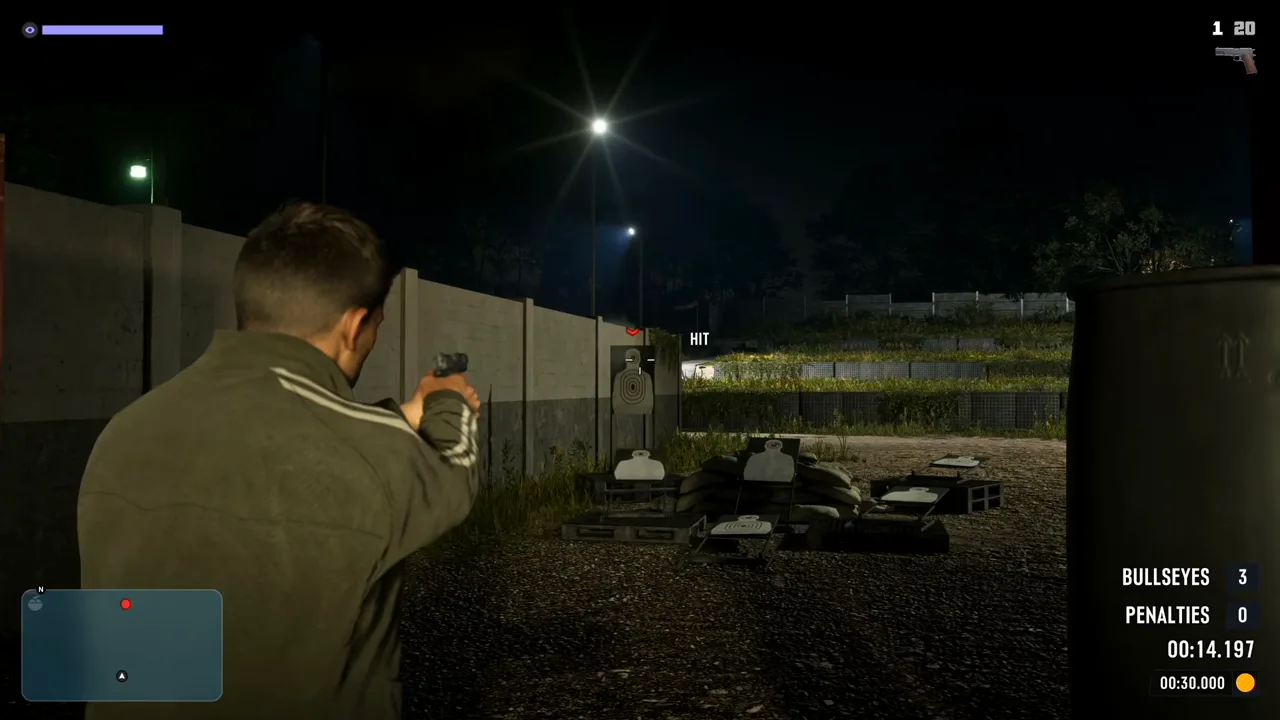
The point: ranges build the purple Focus bar, which powers slow-motion headshots. The video names two, Rodgers Ranch (zombie and robot targets) and Griffin, northwest of Vice City. Our fishing guide shows another way footage uses Focus: pressing both sticks makes fish visible in the water.
Sprint is L3, and a Classic scheme exists
From 2:44 the video covers controls. By default sprint is a click of the left stick (L3), not the old tap of X. In Settings, Control Scheme the footage shows three options: Default, Classic and Left-Handed. The narrator says Classic brings back the older layout. This matches the L3 report in our controls guide, which now has a footage source behind it.
Combat and camera settings worth a look
Under Settings, Gameplay, Combat the video shows Targeting (Partial or Free Aim), an Aim Assist Strength slider and Quick Draw. The Camera menu has Cinematic Kill Shot Frequency and Cinematic Vehicle Crash Frequency, both set between 3 and 5 in the clip. The narrator says you cannot turn off the screen vignette during some indoor shootouts.
Grab opponents in melee
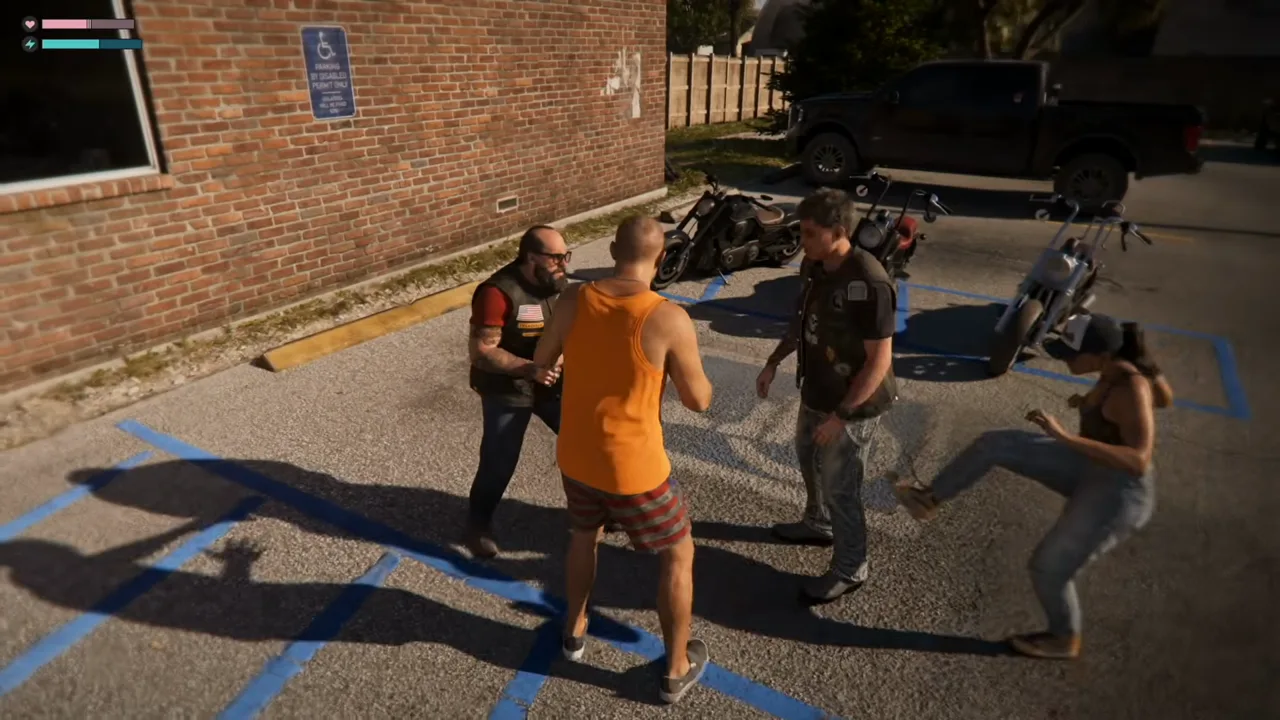
At 5:17 the narrator says pressing R2 in a fight grabs an opponent so you can throw or strike them. The footage shows it in a street brawl and a parking-lot fight.
Vehicle options and working turn signals
From 5:39 the video shows hidden vehicle controls. Holding D-pad Left while driving opens the radio, with stations such as Honey FM and 99 Octane. Pushing the right stick down opens on-demand podcasts. Pushing it up opens a vehicle menu with headlights, windows, trunk or tailgate and hazards. The same clip shows turn signals working. The narrator says other drivers don't react to them. We could not find a second source for that, so treat it as one creator's observation.
Hold D-pad Down for the "at a glance" scanner
From 7:26 the video shows that holding D-pad Down slows the game and overlays nearby points of interest with distances, instead of opening the pause map. Cards list a stash with its cash value, a garage with an empty parking spot, a gym with its membership price and an open job. In the clip it is a quick way to see what is close without leaving the world. Our gameplay guide tracks the other systems players have noticed so far.
Focus works out of combat too
Next, pressing L3 and R3 outside a fight highlights loot targets in a building: cases, alarms, safes, staff and cigarettes on a shelf. The footage shows it right after a door is broken open (one star, "Crime reported").
Send your partner to fence stolen goods
At 9:24 the video shows the playable character handing a bag of stolen cash to their partner with a Hold Square prompt, followed by a Fence Loot prompt. The narrator presents it as a way to cash in without carrying loot around while wanted. The stash numbers on screen (such as $1,680) belong to the clip's save, not a fixed value.
Garages work as small bases
At 10:19 the video shows buying garages in the phone's real estate app: three one-car garages priced at $12,000, $7,600 and $24,000, each bought with a Confirm step. Inside a garage the clip shows a medicine cabinet with Zombix and painkillers, a sink for "Freshen Up" (which gives a "Focus buffed" notice) and a loadout station for weapons and ammo packs. A hotel room has a weapon locker with stat bars per gun. Prices are what this save shows. If you're short on cash, our early money guide covers what launch footage suggests.
Stealth is viable, and outfits fit in the trunk
From 12:06 the narrator argues stealth works. The footage shows suppressed pistol shots, tagging enemies through binoculars, a whistle, thrown bottles as distractions and choke takedowns from behind.
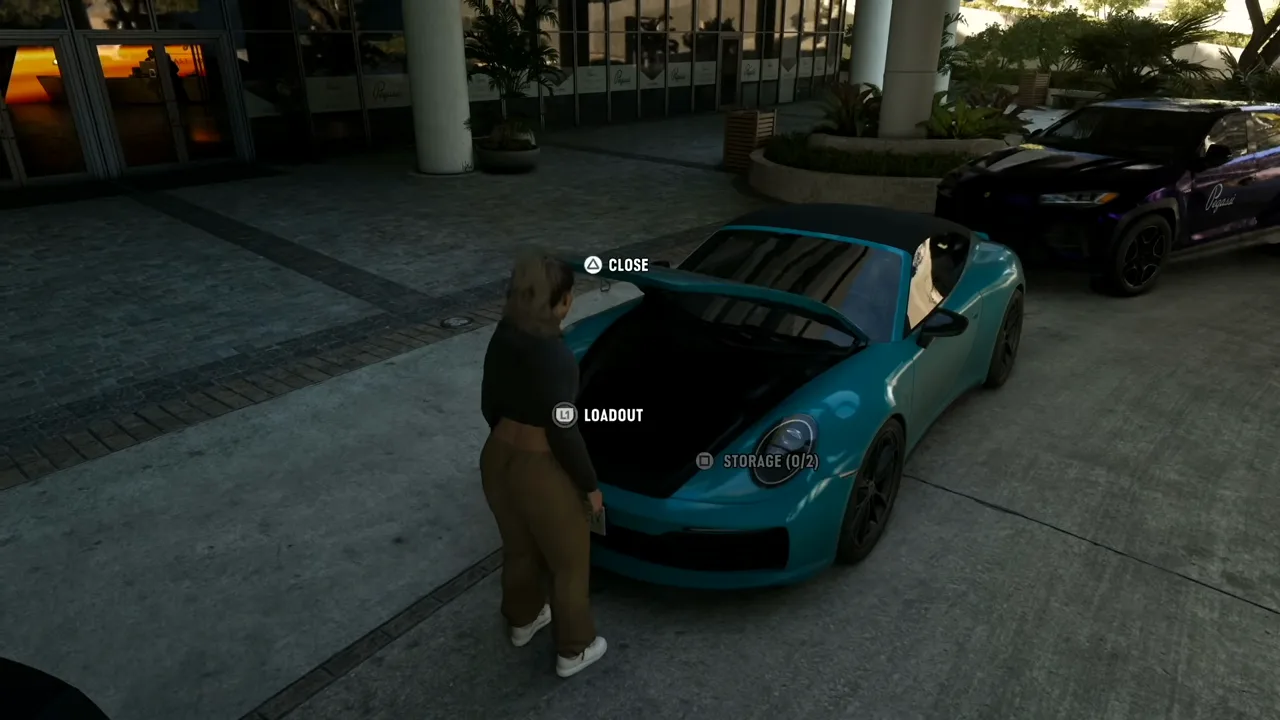
From 14:40 the video shows saving outfits in the apartment wardrobe and adding them to a car's trunk. The wardrobe lists seven saved outfits and the trunk prompt reads storage (0/2). The narrator says swapping outfits clears the "appearance heat" the police have on you.
What we can't confirm yet
We watched the video up to 16:10 (tips 10 to 3). Tips 2 and 1 are not covered here. We have no second source for these items: Rockstar has not published a tip list, and outlet guides we found are dated before the 19 November release, so we don't use them. Menus and prompts may change with patches. For what Rockstar itself has said, see everything we know.